
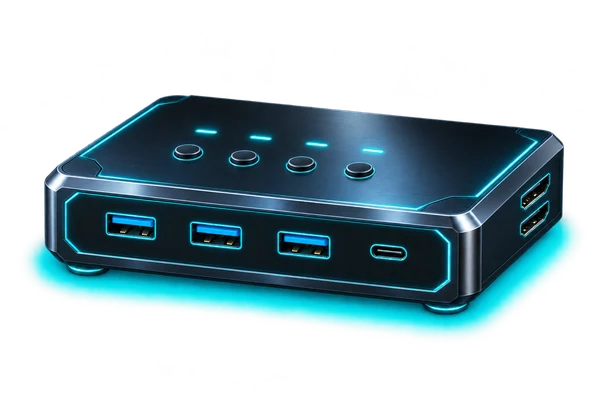
Four computers, one display & USB workspace
UGREEN 8K@60Hz HDMI KVM / 4 Computers
HDMI KVM · model 55397
Share one HDMI display and four USB peripherals across up to four computers, using the unit’s buttons or wired desktop controller.
Amazon (paid link)Opens a new tab. Check the current seller, configuration and terms.
Before you choose
Check the whole setup.
- Connect each computer with both HDMI for video and USB-A to USB-C for peripheral data. Check the power connection and included cables before setup.
- Match the GPU, monitor input and every cable to the intended resolution, refresh rate and HDR mode. “8K at 60Hz” is an advertised limit, not a guaranteed mode for your setup.
- This listing states no EDID emulation and no hotkey switching; use the unit buttons or wired controller. Test display rearrangement, wake-from-sleep and USB reconnection in your own setup.
- The listing says docking stations are not supported. Check adapters and source ports carefully; Raspberry Pi 5 needs a suitable micro-HDMI path. Safely eject shared storage before switching hosts.
Plan the role
Fit it to the system.
Place the KVM between compatible computers and one HDMI monitor. Each host needs a separate USB data connection as well as HDMI. The map shows two of the four possible host inputs; it is an example wiring plan, with no claim that these combinations have been tested together.
Outside perspectives
Reviews & owner experience
One matching hands-on video was verified through its product link, which resolves to the same model 55397 / B0DMF7PTYJ. Its affiliate disclosure is shown below. A self-funded, unsponsored review of this exact KVM was not verified in this search.
Sources checked 8 November 2026. iCommish Labs has not tested this hardware.
- Hands-on video · affiliate links disclosed
NerfThis.TV — UGreen HDMI KVM Switch Review and Testing (5 September 2025) ↗The reviewer reports 4K/240Hz HDR working in their setup after isolating a GPU/display issue, and 4K/120Hz through a capture card. These are the reviewer’s observations; 8K/60Hz was not demonstrated. Review-unit funding was not established.